Tracly
An intuitive platform to organize, track, and analyze your job search. Transform the chaos of job applications into a clear, visual pipeline.
What Tracly does
“Job hunting is already a full-time job. Staying organized shouldn’t be another one.”
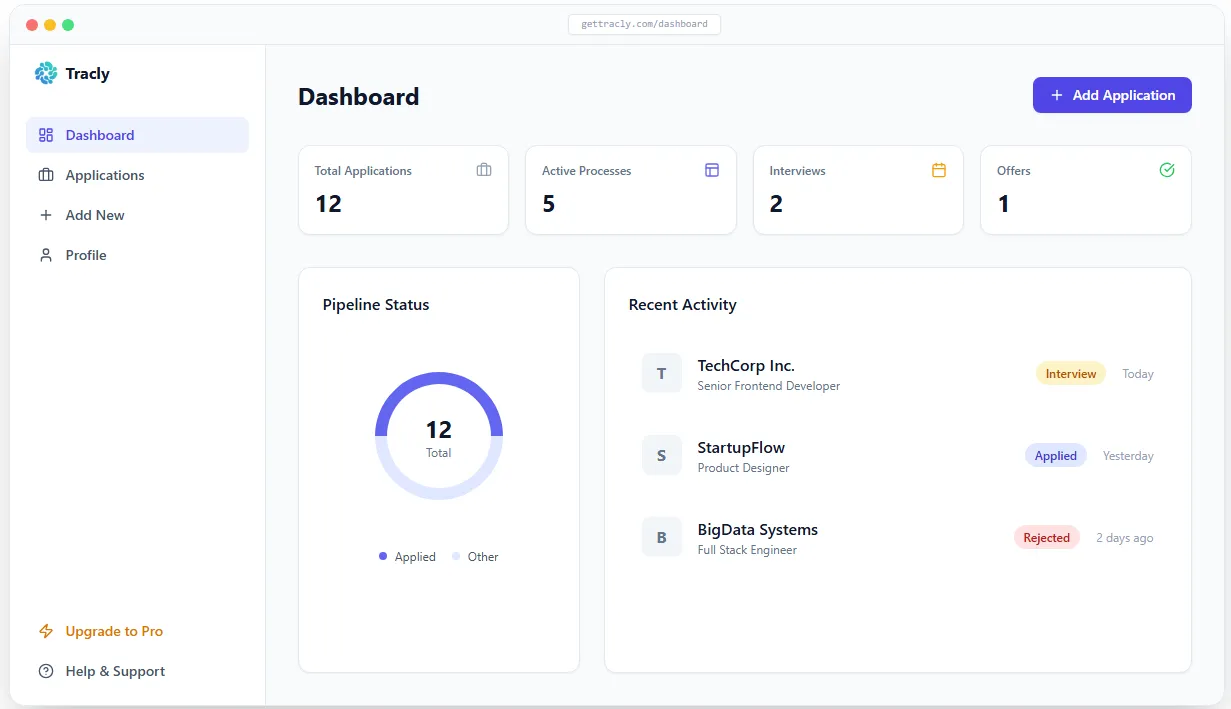
Tracly is a web application built to bring structure to the job search process. It replaces messy Excel spreadsheets with a visual, interactive dashboard. You can centralize all your applications, track their status in real-time (To Apply, Applied, Interviewing, Offer, Rejected), keep interview notes, and analyze your performance to see what’s working.
The promise is simple: giving you back clarity and control over your career journey.
Why it exists
The modern recruiting process is chaotic. An average candidate applies to dozens or hundreds of positions across multiple platforms (LinkedIn, Indeed, company portals…). Very quickly, it becomes impossible to remember when you applied, which version of your resume you sent, or when it’s time to follow up.
Tracly exists to eliminate this mental load. Instead of wasting time digging through emails to figure out where your applications stand, you open Tracly and immediately know what your next move should be today.
How it works
- Add an opportunity. Log a new job opening by pasting the URL, company name, role, and expected salary.
- Manage via the Kanban board. Move your applications from one column to another using a simple drag-and-drop interface as you progress through the hiring stages.
- Take notes. Each application has its own detailed view to store your contacts, the job description link, and your interview preparation notes.
- Track your metrics. An analytics dashboard shows you your conversion rates (e.g., how many submitted resumes turn into interviews).
Key benefits
- Instant visualization. The Kanban board system allows you to see the overall health of your job search at a single glance.
- Reminders & Follow-ups. Never miss a follow-up again. Easily identify applications that are stalling and require you to reach out.
- Centralized data. No more dead links in your bookmarks or scattered notepad files. Everything regarding a specific company is stored in one place.
- Fast, intuitive UI. A minimalist design focused purely on productivity, with no unnecessary clicks.
Under the hood (Technical Architecture)
As a full-stack project, Tracly is built on a robust and modern technology stack:
- Next.js (App Router) to handle both the React user interface and the backend API routes within a unified framework.
- TypeScript used end-to-end to ensure strict type safety between the database models and the frontend UI.
- Prisma ORM & PostgreSQL to efficiently model and query relational data (Users, Applications, Notes, Events).
- Tailwind CSS to build a custom, elegant, and fully responsive interface (including dark mode).
- NextAuth.js for secure and seamless authentication (email magic links or social logins).
Technical challenges & Solutions
Building Tracly presented several interesting engineering challenges:
- Optimistic UI Updates on the Kanban Board: For a perfect user experience, dragging and dropping a card from one column to another had to feel instantaneous. If the UI waited for the database response before moving the card, it felt sluggish. Solution: I implemented optimistic UI updates on the client side. The interface updates the card’s position immediately upon drop, while a background request synchronizes the new state with PostgreSQL. If the network request fails, the interface automatically rolls back to the previous state.
- Complex State Management: Keeping the data synchronized across the Kanban board, the analytics dashboard, and the detailed card modals without forcing page reloads required strict local state management to avoid redundant API calls and prevent data desynchronization.
What’s next
- Chrome Extension: A browser extension to automatically add a job listing to Tracly from LinkedIn or Indeed with a single click.
- Smart Parsing (AI): Automatically extracting the company name and job title just by pasting the job post URL.
- Automated Reminders: Integrating email notifications to remind you to follow up with a recruiter after X days of silence.